WordPress plugin
Coming soon and Maintenance mode Pro
Coming soon and Maintenance mode Pro is a paid edition for showing users that work is taking place on your WordPress site. It builds on the Coming soon and Maintenance mode plugin with additional controls for visual presentation, countdowns, subscriptions, animation, and page behavior.
Present a polished maintenance page
Coming soon and Maintenance mode Pro is a paid edition for showing users that work is taking place on your WordPress site. It builds on the Coming soon and Maintenance mode plugin with additional controls for visual presentation, countdowns, subscriptions, animation, and page behavior.
The Pro edition is designed for website owners who want an under-construction page without creating one from scratch with code. You can make a focused temporary page while keeping visitors informed through a logo, title, message, social links, and a progress indicator.
Use video, sliders, and countdowns
Choose an awesome background slider or a YouTube video background. YouTube backgrounds are not available for mobile devices. When using a YouTube background, the relevant field accepts the video ID rather than the complete video URL.
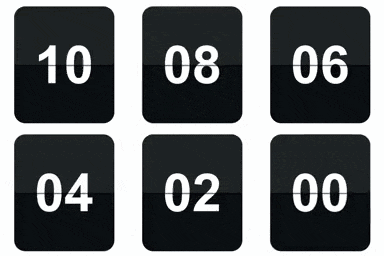
The plugin includes three countdown designs: button, circle, and vertical slider. You can control the countdown position, distance from the top, text color, background color, border radius, size, border width, font size, and font family. You can also hide the countdown or disable the under-construction page when the countdown expires.
Build a branded visitor experience
Pro delivers extensive controls for the main content. Set the background image and color, upload a custom logo, and adjust the logo position, distance from the top, maximum width, and maximum height. The title and message can be positioned left, center, or right, with controls for title color, font size, font family, and spacing.
For additional visual movement, the plugin includes 39 animation effects for components and lets you set animation waiting time. You can adjust content background color, transparency, and border radius. A progress bar can show a selected percentage, with controls for width, position, distance from the top, loading, border color, border width, and border radius.
Invite subscriptions and social visits
The functional subscribe form can be customized with its text, position, spacing, font size, and font family. You can set input borders and radius, placeholder color, button colors, input text color, and the text shown after submission. The Pro edition can send email notifications to subscribed users.
Social buttons can use your own uploaded images. Set their position, maximum width, height, distance from the top, and spacing. Social sites can open in a new window. You can also mute or unmute the background video and add a favicon link to the admin section.
Control access and visibility
Exclude specific pages and posts from the under-construction display. You can also disable the plugin for specific IP addresses. These options help you work on selected content or view the site while the maintenance page is active.
Installation
Install the plugin by uploading the .zip file in WordPress; the file does not need to be extracted. Open the plugin settings, pick the background type, enter a YouTube video ID when applicable, and configure the page elements, countdown, subscription form, and visibility options.