WordPress plugin
WordPress Countdown Premium
WordPress Countdown Premium extends the Countdown Timer - Widget Countdown add-on with additional themes, scheduling settings, animations and display formats. Create responsive timers for posts, pages and widgets, with WooCommerce and Elementor integrations. Timers can be used for events, product launches, promotions and special offers.
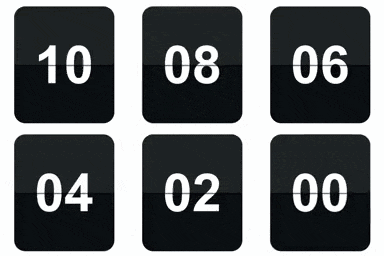
Timer modes, schedules and expiry actions
WordPress Countdown Premium extends the Countdown Timer - Widget Countdown add-on with additional themes, scheduling settings, animations and display formats. Create responsive timers for posts, pages and widgets, with WooCommerce and Elementor integrations. Timers can be used for events, product launches, promotions and special offers.
Premium works with count-up timers, evergreen countdowns and evergreen count-up timers. A countdown can restart after it ends or repeat every specified number of hours, daily, weekly or monthly. Repeat options include the interval, day of the week, day of the month and stop conditions. Evergreen settings cover duration, expiry mode, restart behavior and daily expiry time.
Choose which countdown fields appear. When a timer expires, it can redirect to a URL, show a button, hide page content or reveal hidden content.
Theme, layout and animation options
The 40 premium themes include 10 each in Standard, Vertical, Circle and Flip styles. Timers are designed for desktop, tablet and mobile screens. Inline display places the timer elements on one row and scales them responsively. Colors, fonts, sizes and positioning can be customized to match a site's design.
- Apply animations to individual elements or to the timer group. Effects include fadeIn, bounceIn, flipIn and rotateIn, plus more than 25 additional effects.
- Vertical timers include slide-digit animation.
- Circle timers use SVG ring animation.
- Flip Clock timers use 3D flap animation.
Popup and sticky bar shows
Popup timers include controls for size, position, fixed or absolute placement, background, border and animation. Sticky Bar timers provide another display format for keeping a countdown visible within the page layout.
Placement and setup
The wider extension supports Gutenberg blocks, Legacy Gutenberg and the Classic Editor, as well as the WooCommerce and Elementor integrations. To set up a timer, install the base plugin, upgrade to Premium, choose the timer type and theme, configure its schedule and expiry action, then place it in a post, page, widget or supported integration. Premium support is included.
The base plugin listing reports that it was closed on October 6, 2026 and is temporarily unavailable for download while a full review is pending. New setups depend on the base plugin being available.